
The thesis
An LLM feature without an eval harness is a science experiment with users in the lab. The model behaves the way it behaves on the day you shipped, and on every subsequent day it behaves slightly differently because the model provider rotated weights, because a prompt was tweaked, because the upstream data changed, because the user input distribution shifted. None of those changes register as failures because there is nothing measuring against. The system drifts in silence until someone notices the answers are noticeably worse than they were three months ago, and then the team spends two weeks reverse-engineering what happened.
The fix is not exotic. The fix is the same fix engineering has applied to every other production system: instrument it, write tests against expected behavior, run those tests on every change, monitor production for divergence from the test set. The reason this is rare in LLM systems is that the team that ships the feature is often the team that has not previously shipped production software, and the discipline that everyone in production engineering takes for granted has to be ported across. The port is not technically hard. It is a question of admitting that an AI feature is software and software requires the same boring infrastructure every other piece of software requires.
The three layers of evaluation
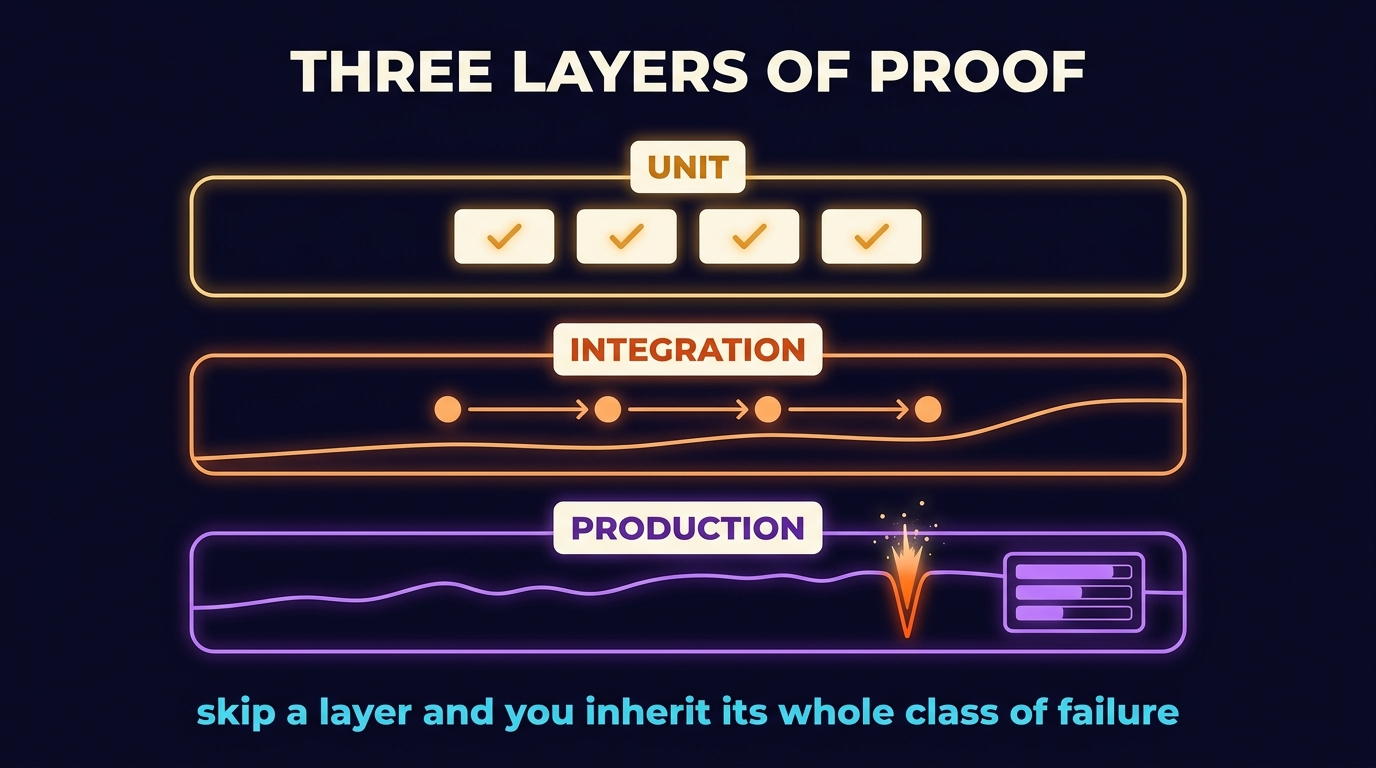
Production LLM evaluation runs on three layers, and skipping any of them produces a known class of failure.
Unit-level evals test individual prompts and individual model calls against a fixed set of inputs with known-correct outputs. This is the equivalent of unit tests in classical software. The harness is a CSV of input rows with expected behavior columns; the runner executes the prompt for each row and asserts the result matches. The assertion is not always a string match. For structured-output prompts, the assertion is a Pydantic schema check plus field-by-field equality. For generative prompts, the assertion is a model-graded rubric (a scoring prompt that grades the output on dimensions you care about, with a bar set by your golden examples).
Integration-level evals test the composition of multiple prompts plus retrieval plus tools. This is where end-to-end RAG tests, end-to-end agent tests, and end-to-end content-compiler tests live. The harness is the same CSV pattern, but the row defines a complete user task and the assertion checks the final output. Per-step traces are captured so when the integration eval fails, the engineer can trace which step in the composition broke.
Production-monitoring watches live traffic for divergence from the evaluated baseline. The instruments are LogFire spans for every model call, with attributes for the prompt version, the model version, the input length, the output length, the structured-output validity, and any user feedback (thumbs up, thumbs down, citation clicks). The dashboards aggregate those attributes into time-series. When the time-series drifts (output length jumps, structured-output validity drops, thumbs-down rate climbs), the dashboard alerts and the engineer investigates.
Prompt regression suites
The prompt is code. When the prompt changes, run the test suite. This sounds obvious; it is rarely done. The team that owns the prompt is often a non-engineering team, the prompt lives in a Notion doc or a config UI, and "shipping a prompt change" means hitting Save in the config UI. There is no review, no test, no rollback. When the new prompt regresses on a class of inputs the team did not think to test, the regression goes live.
The discipline is to treat every prompt as a versioned artifact in the same source-control system as the code that calls it (Jinja templates in the project, never inline strings, per Rule 9 of the operating layer). When the prompt changes, the change is a pull request. The pull request triggers the eval suite. The CI run reports the pass rate of the new prompt versus the current production prompt. If the new prompt regresses, the pull request blocks. If it does not, the engineer reviews the diff in the failing rows and decides whether the regression is acceptable (sometimes a new prompt is better on average and worse on a small set, which is a deliberate tradeoff worth having explicit).
The harness has to be cheap enough that running it on every pull request is realistic. The way to keep it cheap is to keep the eval set small (thirty to a hundred rows) and to cache the model calls aggressively (the same input plus the same prompt plus the same model version produces the same output, modulo temperature). When the team wants to expand the eval set, they expand it deliberately and they accept the higher CI cost. Most teams find that a hundred rows is enough to catch most regressions without making CI painful.
Drift monitoring
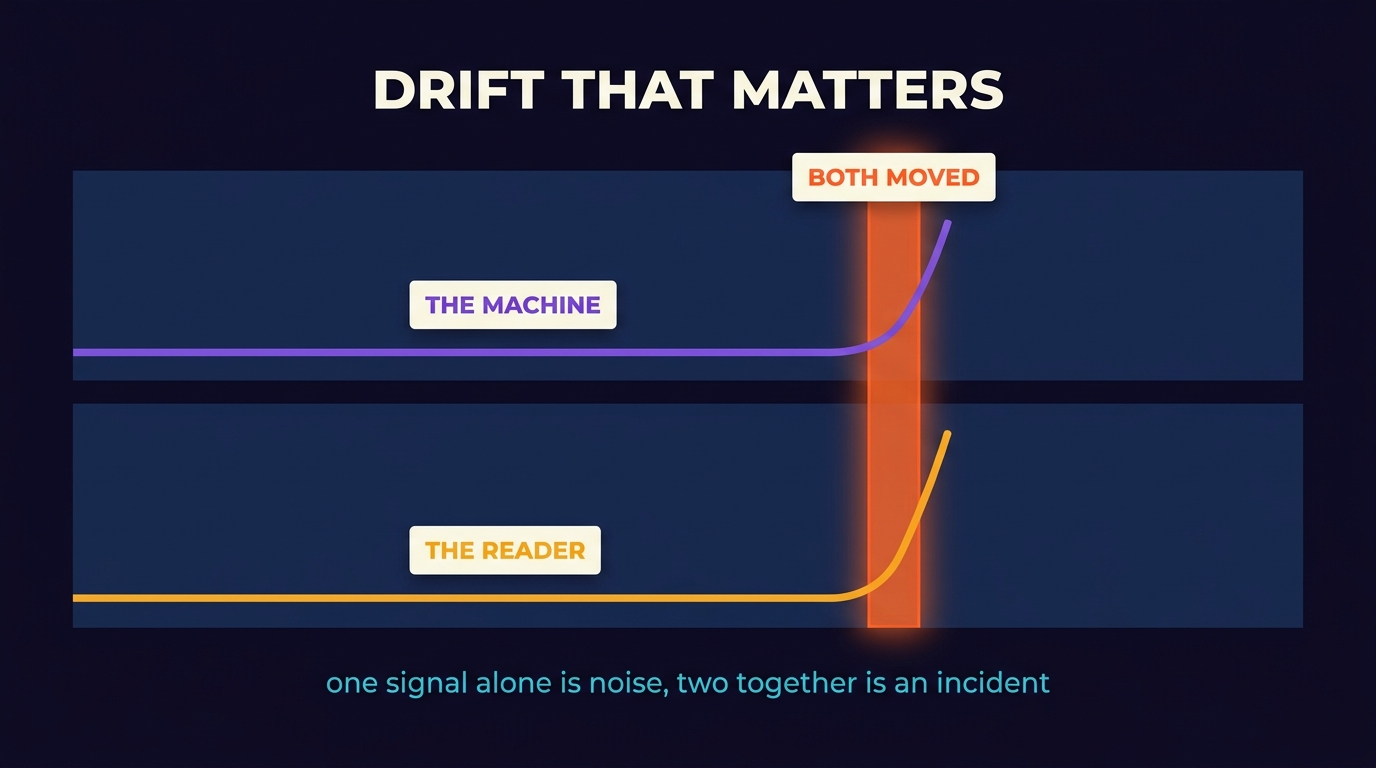
Drift is the slow movement of production behavior away from evaluated baseline. Three things drift. The model itself drifts when the provider updates the underlying weights without changing the model name (this is rarer than the conspiracy theorists claim, but it does happen, and the only protection is to monitor for it). The user input distribution drifts when the user base grows, the marketing changes, or the use case expands; the model is now seeing a class of input it was not evaluated on. The reference data drifts when the corpus the system retrieves from grows or changes; the retrieval layer now returns chunks the model was not evaluated against.
The way to catch drift is to log enough per-call attributes to detect changes in distribution. For a generative system: output length, structured-output validity, citation count, refusal rate, latency. For a retrieval system: top-K recall on a sentinel set of held-out queries that runs in production daily, retrieval latency, rerank scores. For an agent: tool-call count per session, retry rate, session length, success rate per task type. Each of these has a baseline distribution and a current distribution, and the dashboard surfaces the delta.
The signal you actually act on is not "drift detected." It is "drift detected, and the user-facing metric also moved." The user-facing metric is whatever proxy you have for user satisfaction: thumbs-down rate, follow-up rate, abandonment rate, citation-click rate. When the technical drift signal correlates with the user-facing signal, something real is happening and the engineer investigates. When the technical signal moves but the user-facing signal does not, the drift is cosmetic and the engineer notes it and moves on. This composition prevents the false-alarm fatigue that kills monitoring discipline.
Model-as-judge: useful, not free
For evals where the correct output is generative (an answer paragraph, a summary, a piece of copy), a string-match assertion fails because there are many correct answers. The pattern that works is to use a second model as the judge, with a structured rubric. The judge prompt receives the input, the candidate output, and the rubric, and emits a per-dimension score. The eval passes when the score is above the threshold the team set during calibration.
The trap is treating model-as-judge as authoritative. It is not. It is a noisy approximation of human judgment. The way to make it useful is to calibrate it against a held-out set of human-judged examples, measure the agreement between judge and human (Cohen's kappa or just match-rate), and only deploy the judge when agreement is high enough that disagreement is rare. When agreement is low, the dimensions are wrong or the rubric is ambiguous; fix the dimensions before fixing the prompts the judge is grading.
The other trap is using the same model as both the generator and the judge. The judge will be biased toward outputs that look like its own outputs. Use a different model family for the judge whenever practical, or accept the bias and account for it during calibration. Both choices are valid; the silent default of using whatever model is convenient is not.
What this gets you
An LLM feature with proper eval and observability infrastructure ships with confidence. The team can change prompts, swap models, expand the corpus, or add new tools, and the harness tells them whether the change was a net win before users see it. The production dashboard tells them whether something has degraded silently. The combination is what makes an LLM feature feel like a real piece of software instead of a wager.
If you are evaluating an LLM team, the questions are about the eval set (size, coverage, calibration), the regression suite (does it run on every prompt change), the drift monitors (what attributes are tracked, what alerts fire), and the recovery posture (when something regresses, how fast can it be rolled back). If they show you a great prompt and tell you the prompt is the secret, what they have is a demo. If they show you a CI dashboard and a production dashboard and a runbook, what they have is a system.